

Truv’s Postman collection lets you get started with Truv using little to no code.
Overview
The Truv Postman Collection offers a solution for getting started with your integration with little to no code needed. View the sections below for more on setting up and using Truv with Postman.
Setting up Postman
The section below covers each step for first configuring your Truv Postman Collection.
Steps
- Install Postman.
-
Fork the Truv API collection.

- Once both the collection and the environment variables are imported into Postman, see the configuration section below on how to correctly configure API keys with the collection.
Configuring Postman
The Truv Postman collection uses Postman environment variables to simplify each API request.
Steps
- Select the Sandbox environment in the top right corner
- Click the eye icon to open the environment settings
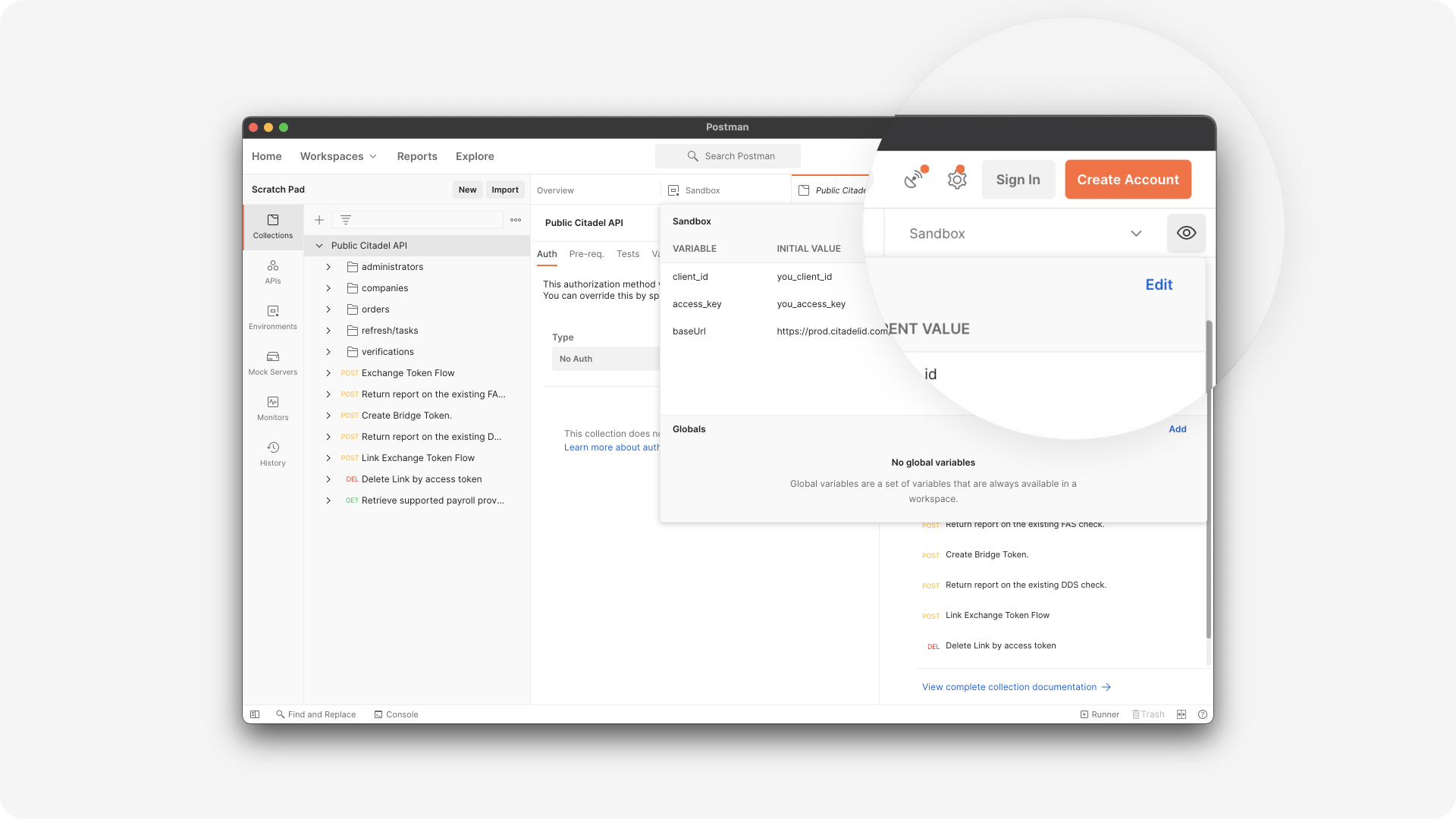
- Copy in your Truv API keys from your Truv Dashboard into each field:
client_idaccess_key
- Save your changes and start making Truv API requests!
Making requests
Start by making different requests to create an order and modify the requestBody payload as desired.
Requests have preconfigured pre-request and post-response scripts setup to pass through sample data and fetch response data to be passed through into subsequent requests.
An MVP journey looks like:
- Create an Order - VOIE (Basic)
- In the responseBody, you can click on the shareURL to complete the order
- Get an Order by Id
- The orderId created in step one will be stored as a variable and should be passed through to this request
- Get a VOIE Report by Id
- The user_id and voie_report_id variables from the prior responseBody will be stored as variables and should automatically be passed through into this request